Open the menu on the left side of the screen and select "Quality Control" > "Breaking Samples".
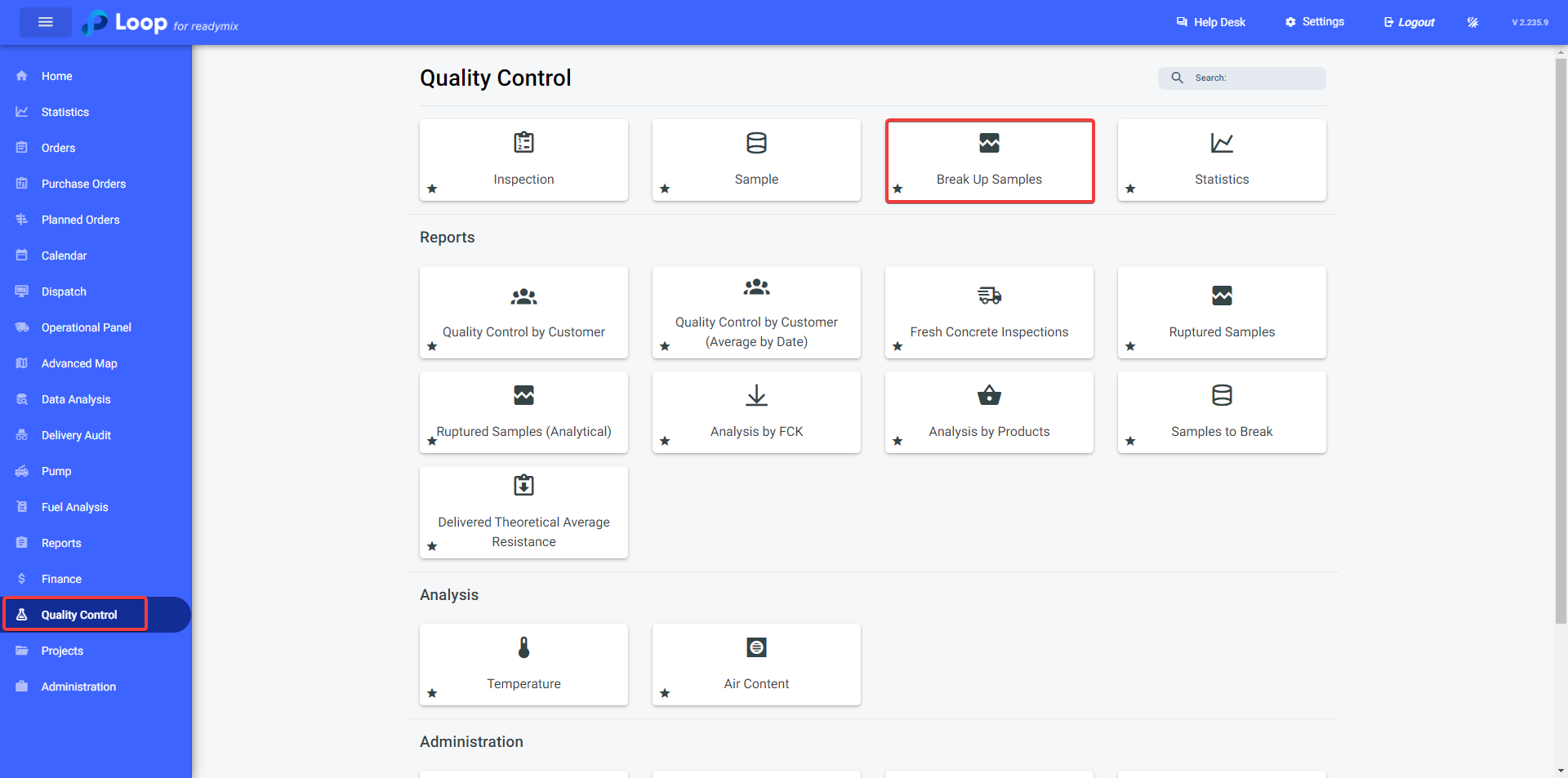
Breaking Samples
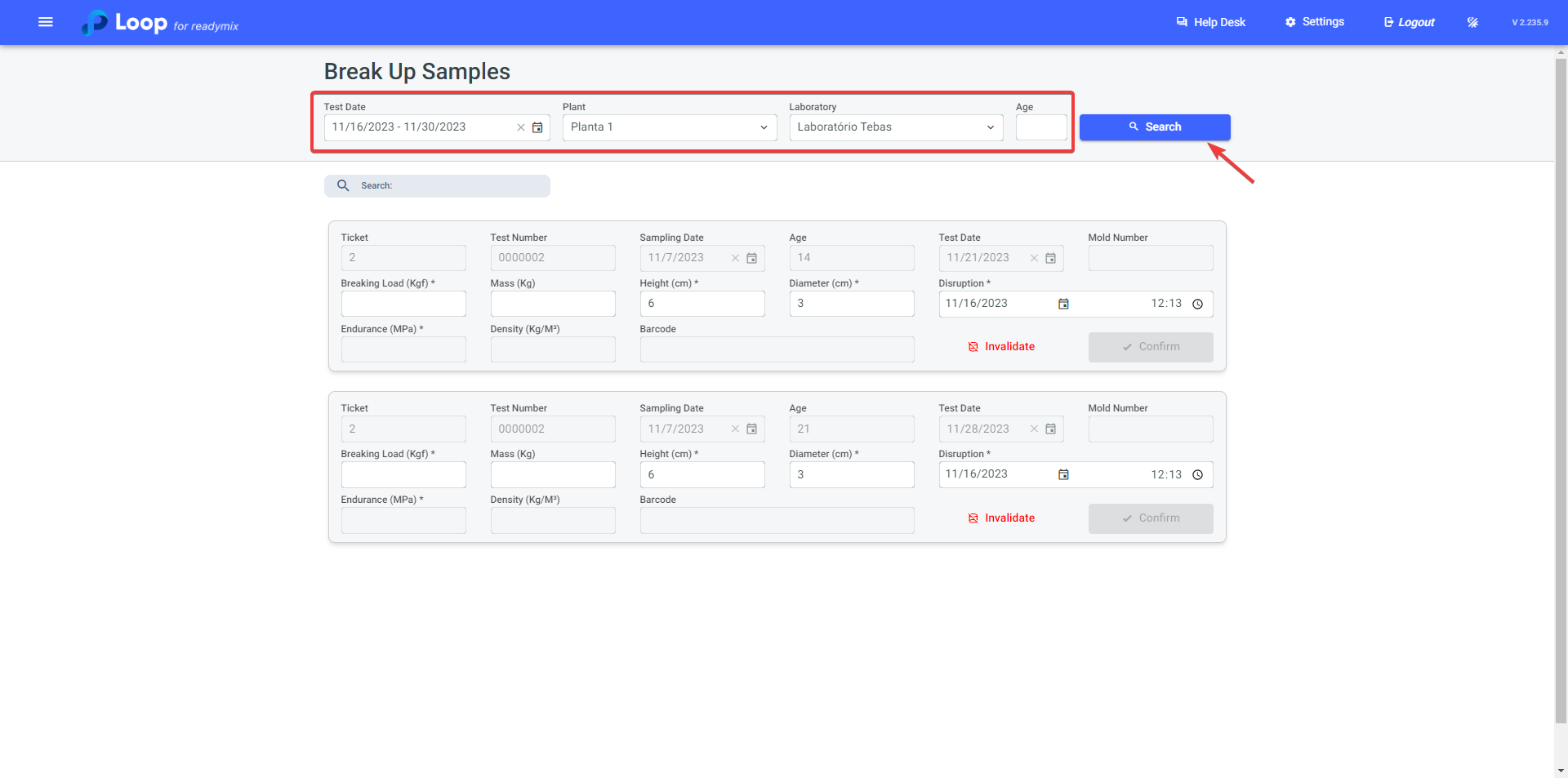
On the "Breaking Samples" screen, select the Test Date, Plant, Laboratory and Age (if necessary).
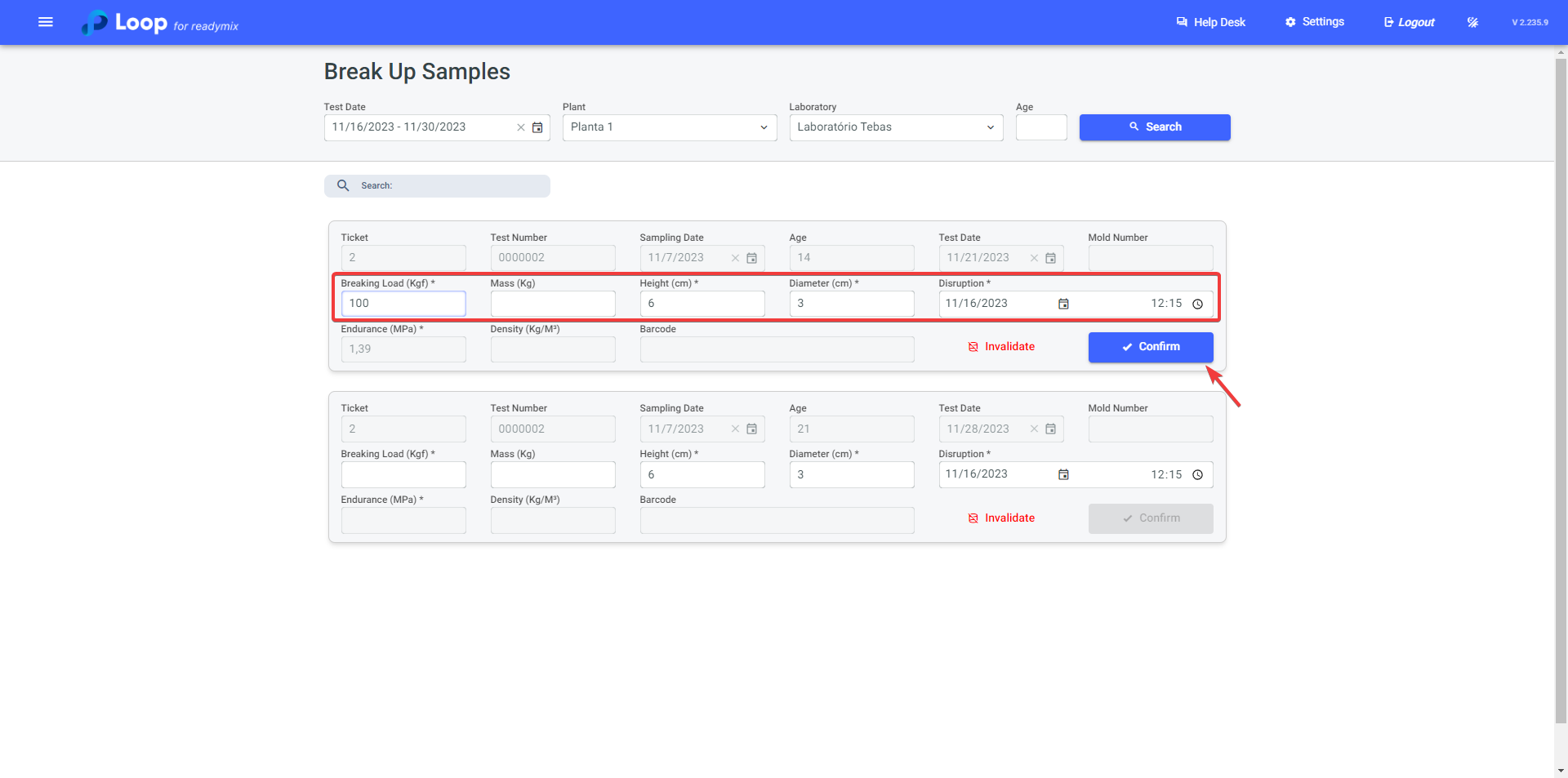
After locating the sample to be broken, fill in the data:
-
Breakage Load (Kgf): Refers to the Breakage Load, the maximum force supported by a Readymix test specimen before breaking or failing during a strength test. Fill in the data collected during the breaking process.
-
The Height and Diameter fields will be filled automatically.
These options are configured in the "Sample Type." To learn more, visit: https://docs.loop4.com.br/hc/docs/articles/1751550588-inspection-type
After confirming all the data, click confirm to break the sample.
Invalidating Sample
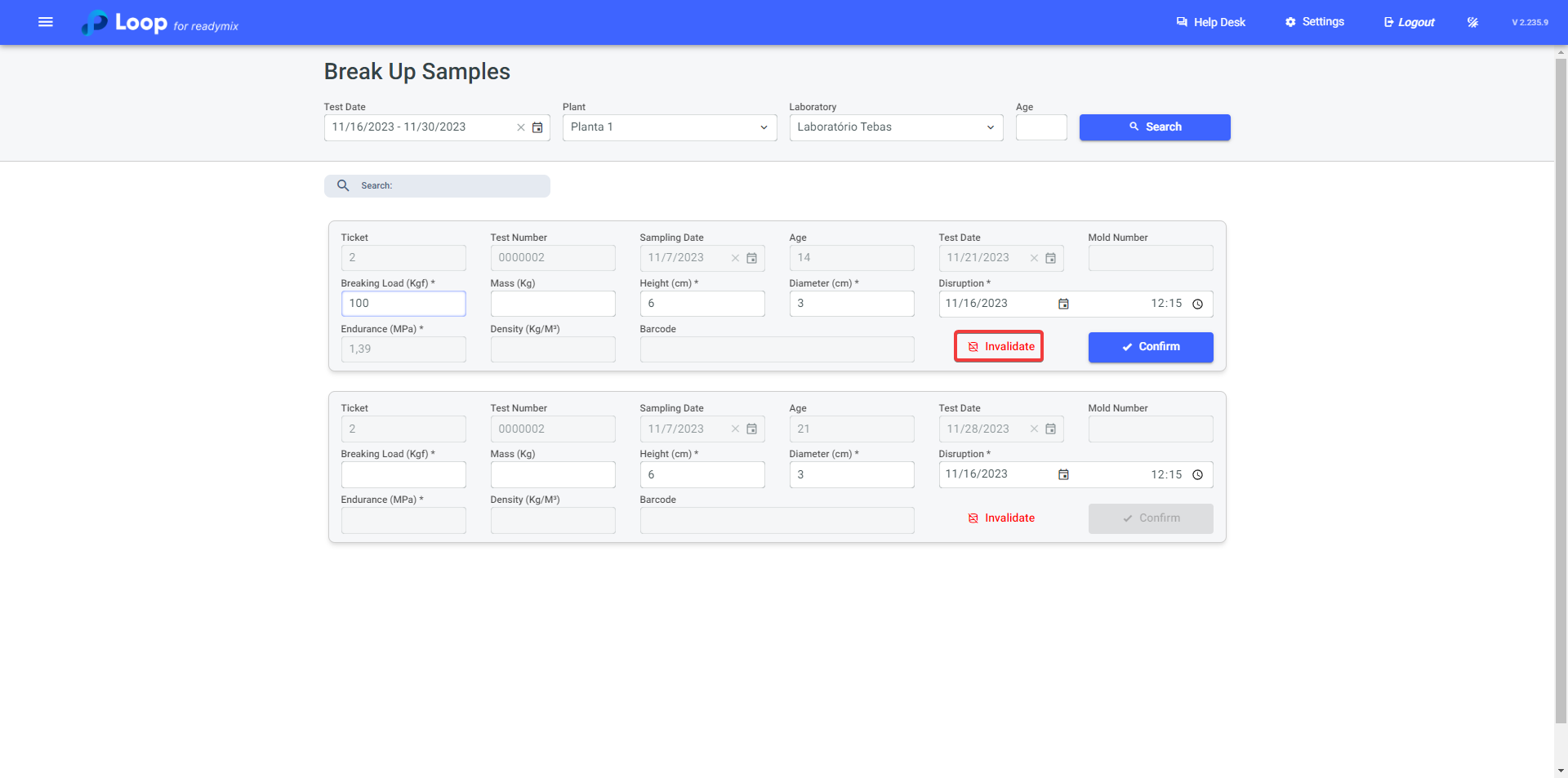
If the sample does not meet the required standards and needs to be invalidated, simply click the "Invalidate" option.
Thank you for using our tutorial; we hope it has been helpful to you. We are always committed to providing the necessary information and assisting you in using our Loop 4 ReadyMix.