Open the menu on the left side of the screen and select "Quality Control">"Inspection Type".
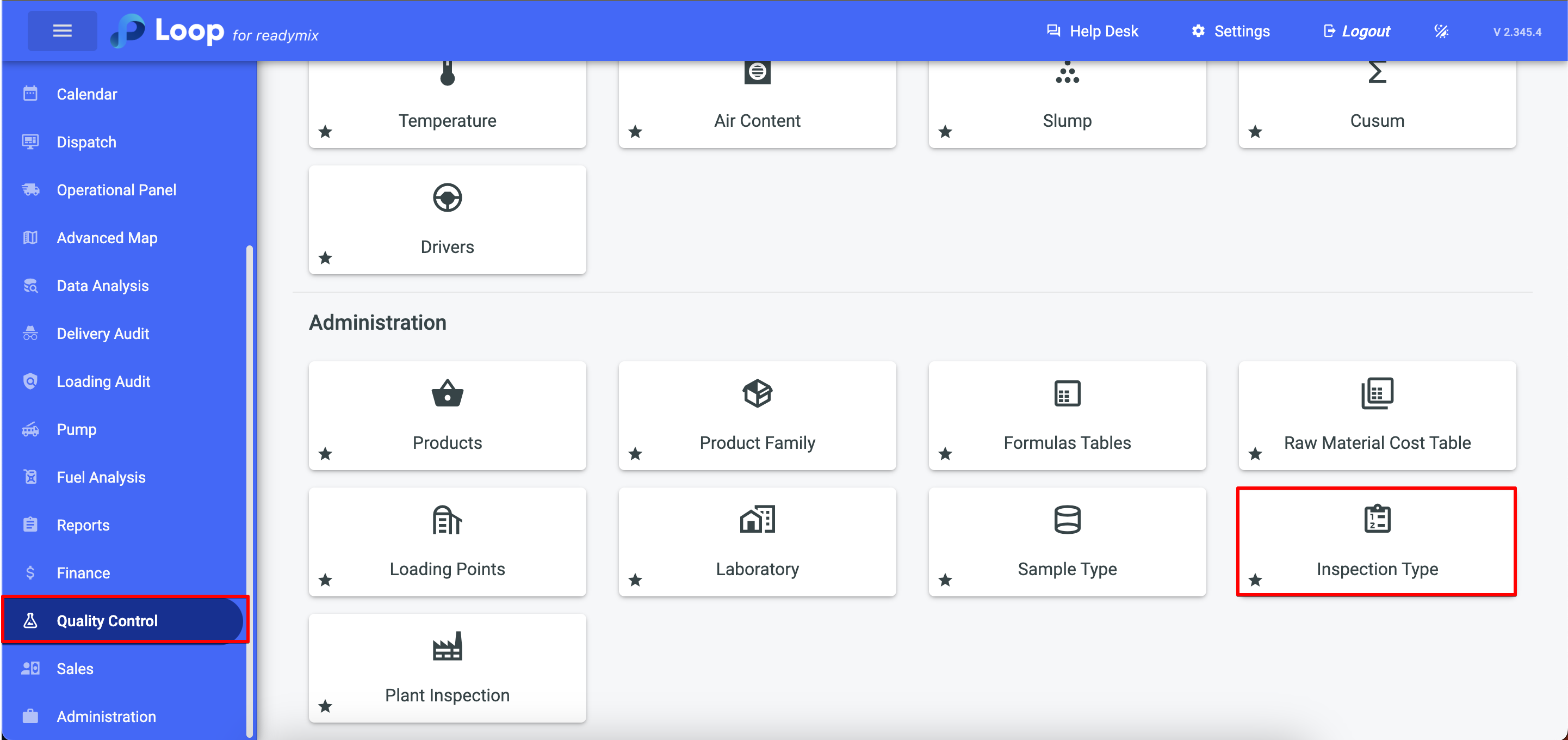
Add Inspection
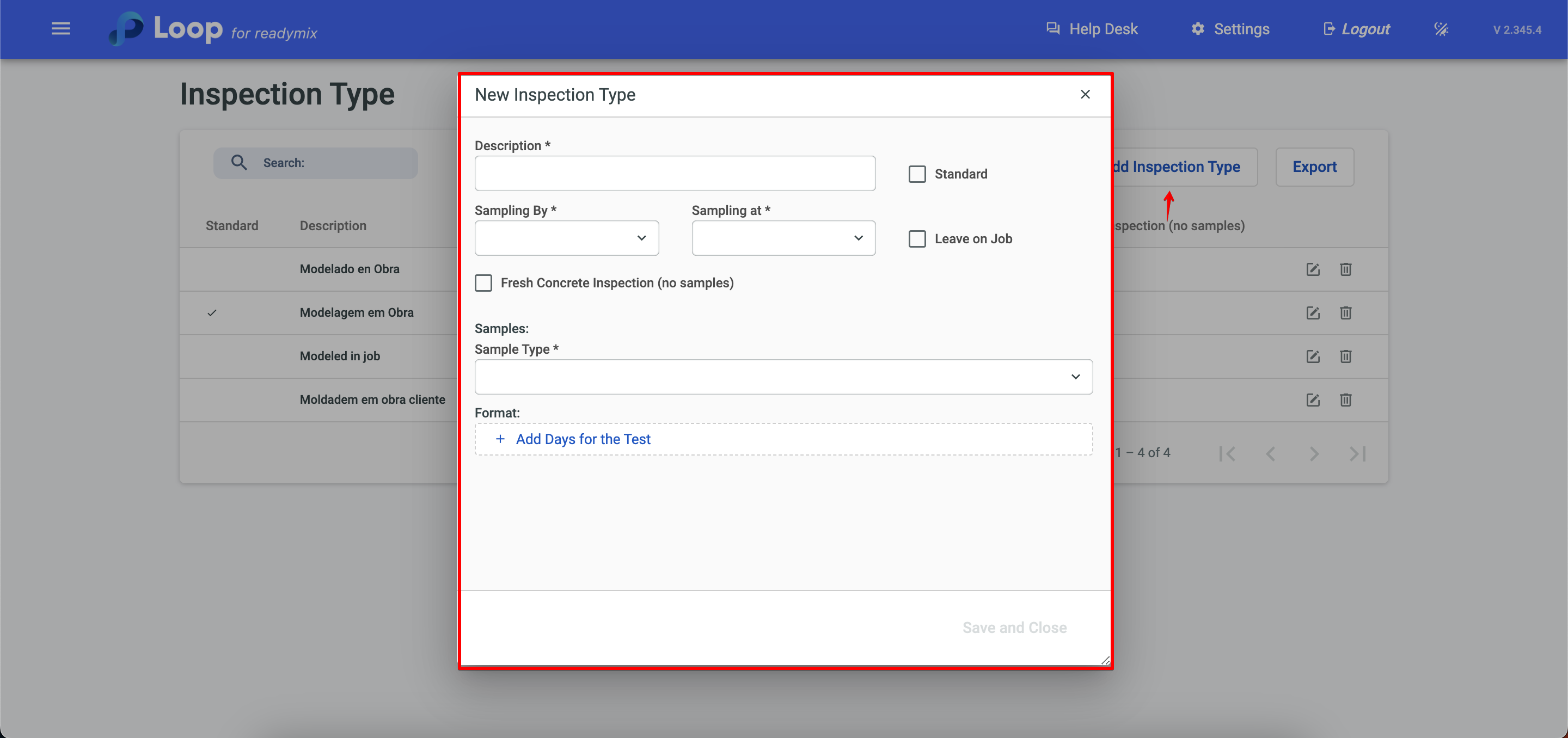
Click Add Inspection Type and fill in the fields with the required data.
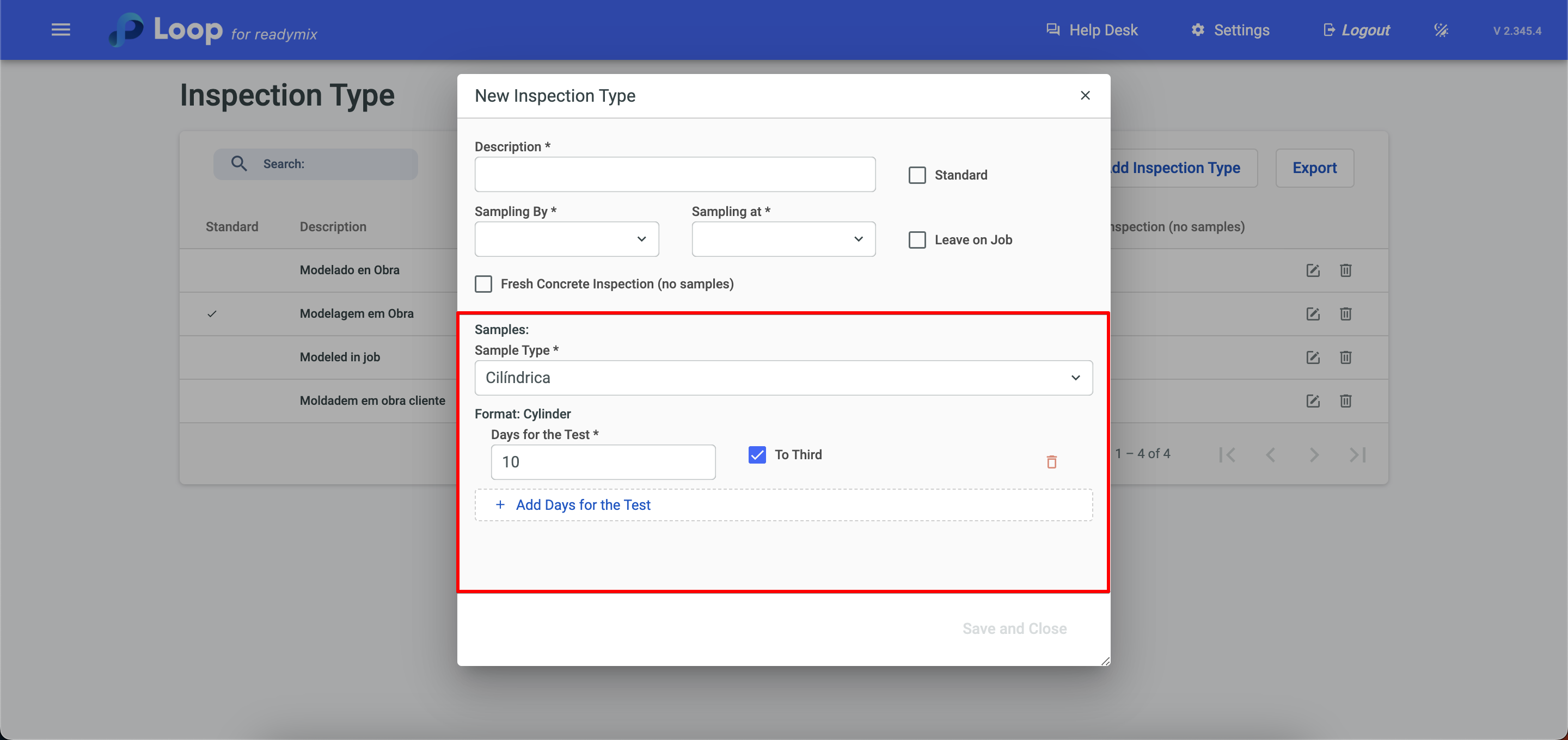
You can standardize the days for the test by clicking Add Days to Test.
After you have finished filling in the information click Save and Close.
Thank you for using our tutorial and we hope it was helpful. We always strive to provide you with the necessary information and help you use our Loop 4 ReadyMix.