The "Plannings By Date" report allows you to get an overview of past or future Plannings.
Generating the Report
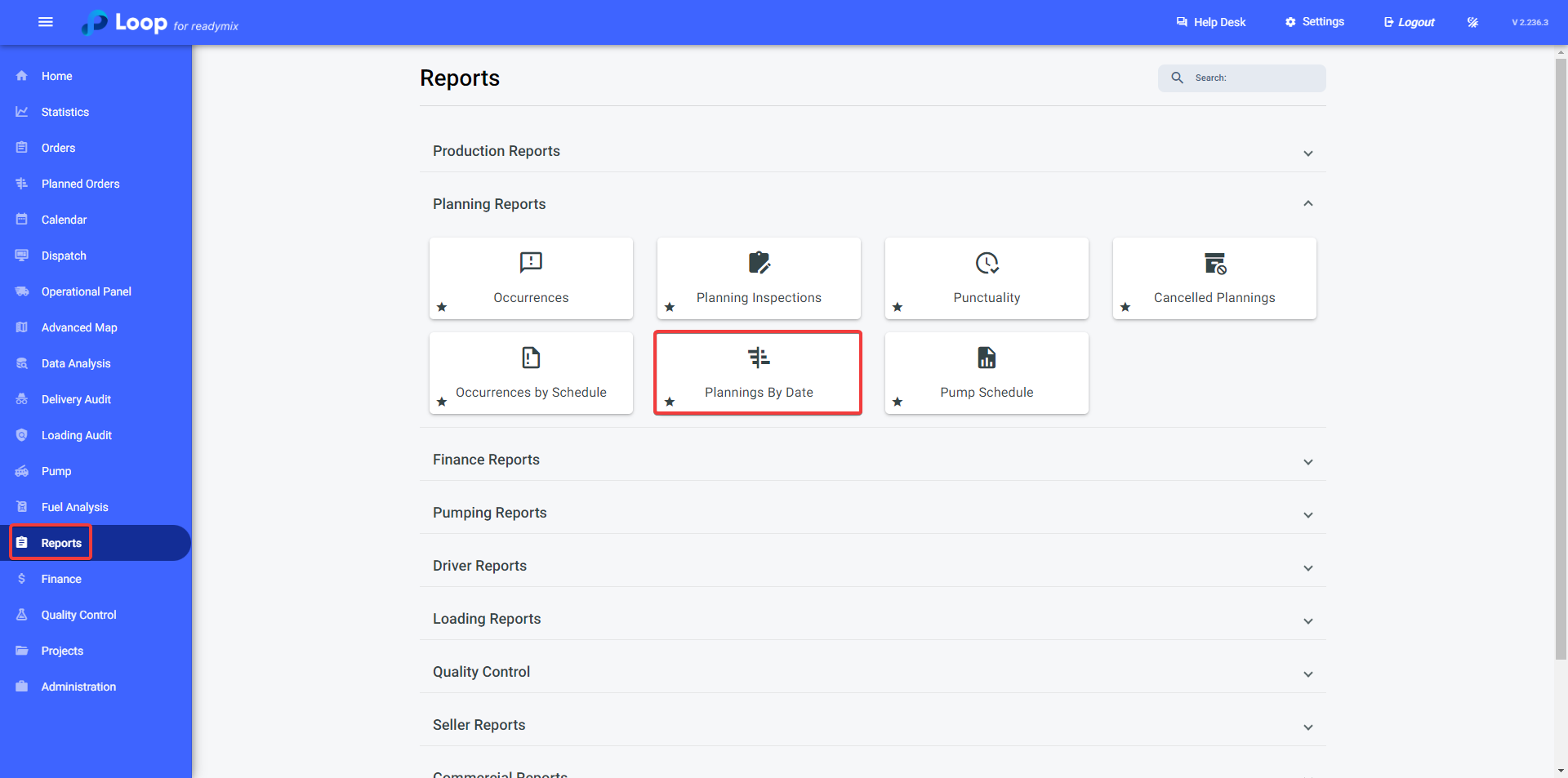
Open the menu on the left side of the screen and select "Reports" - "Planning Reports" - "Plannings By Date".
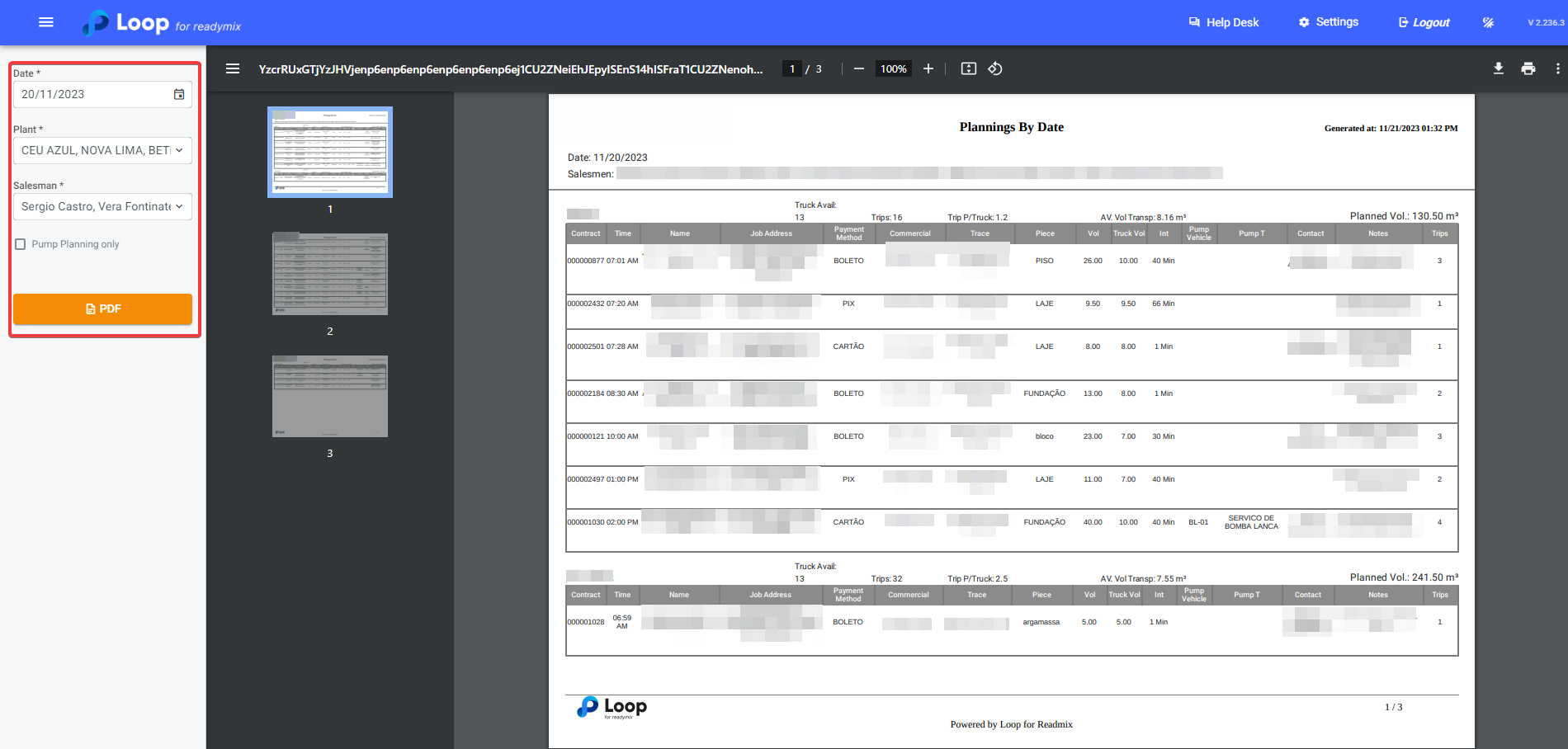
Now, simply select the date, plants, sellers, and finally, click on "PDF" to generate your report.
Thank you for using our tutorial, and we hope it has been helpful to you. We are always committed to providing the necessary information and assisting you in using our Loop 4 ReadyMix system.