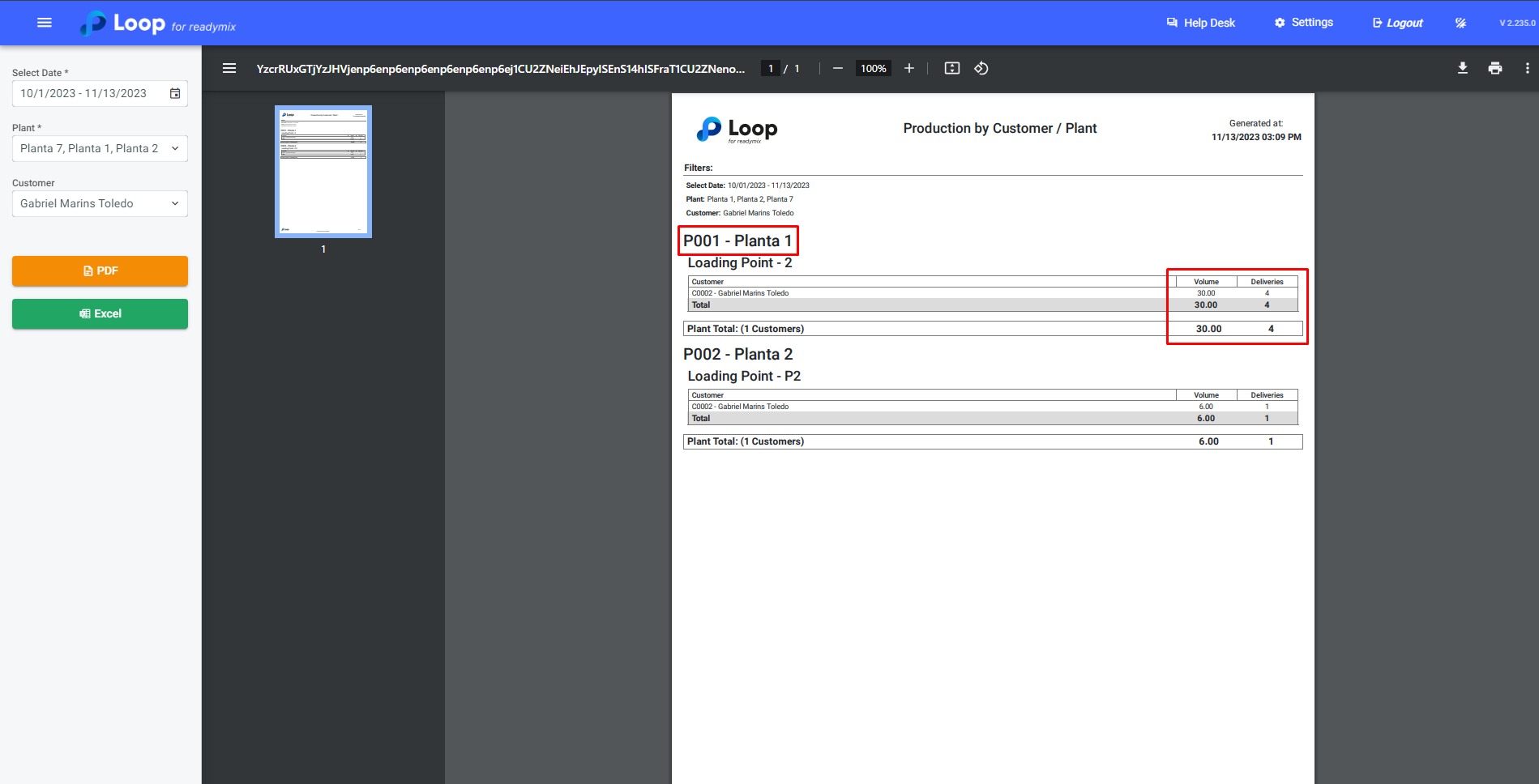
The Production by Customer/Plant report is useful if you want to view only the volume and Total Deliveries by Customer.
Generating Report
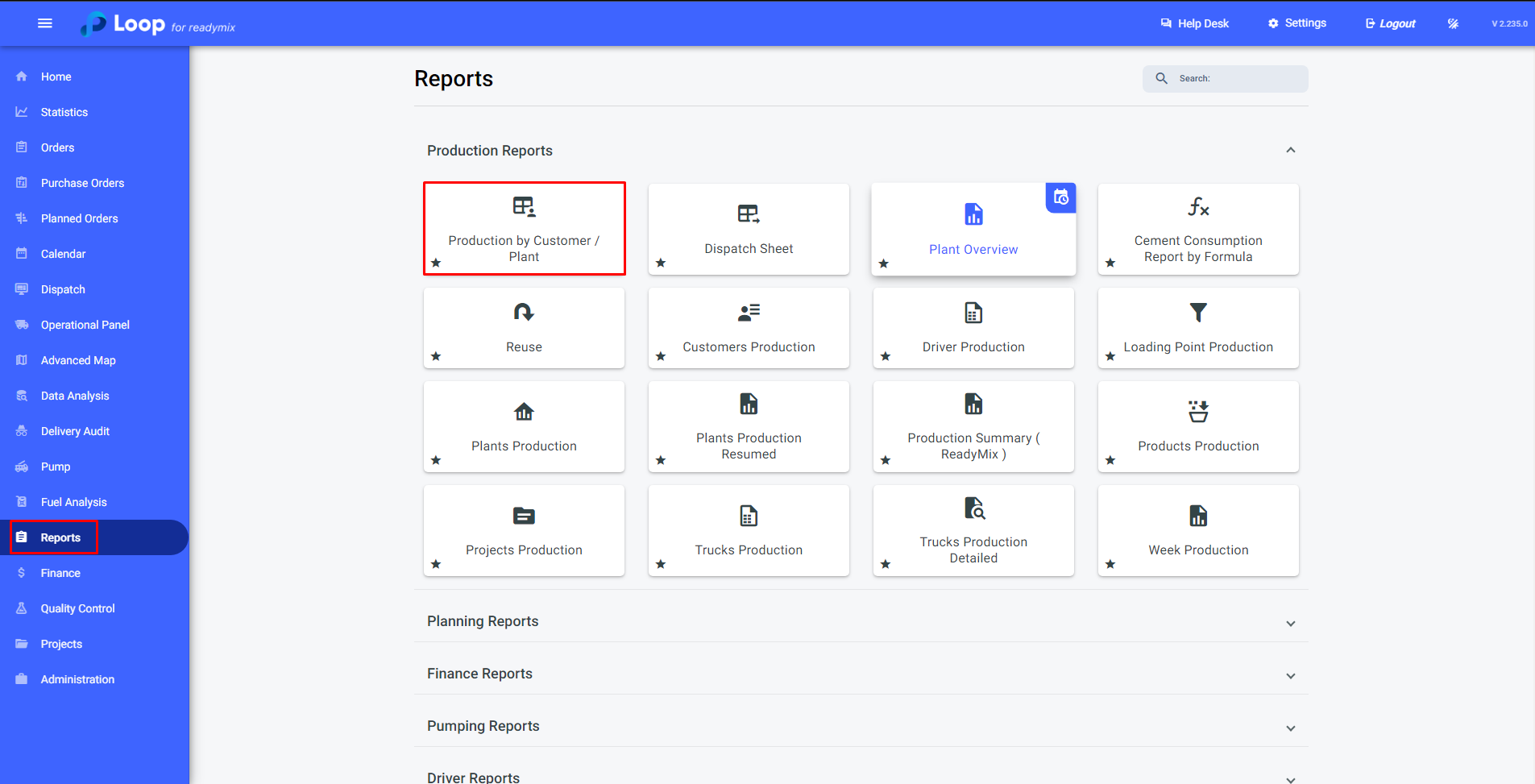
Open the menu on the left side of the screen and select "Reports" - "Production by Customer/Plant."
By clicking on the "Production by Customer/Plant" option, a screen will open where you can specify the date or query period, the plant, and the customer. Fill in this information.
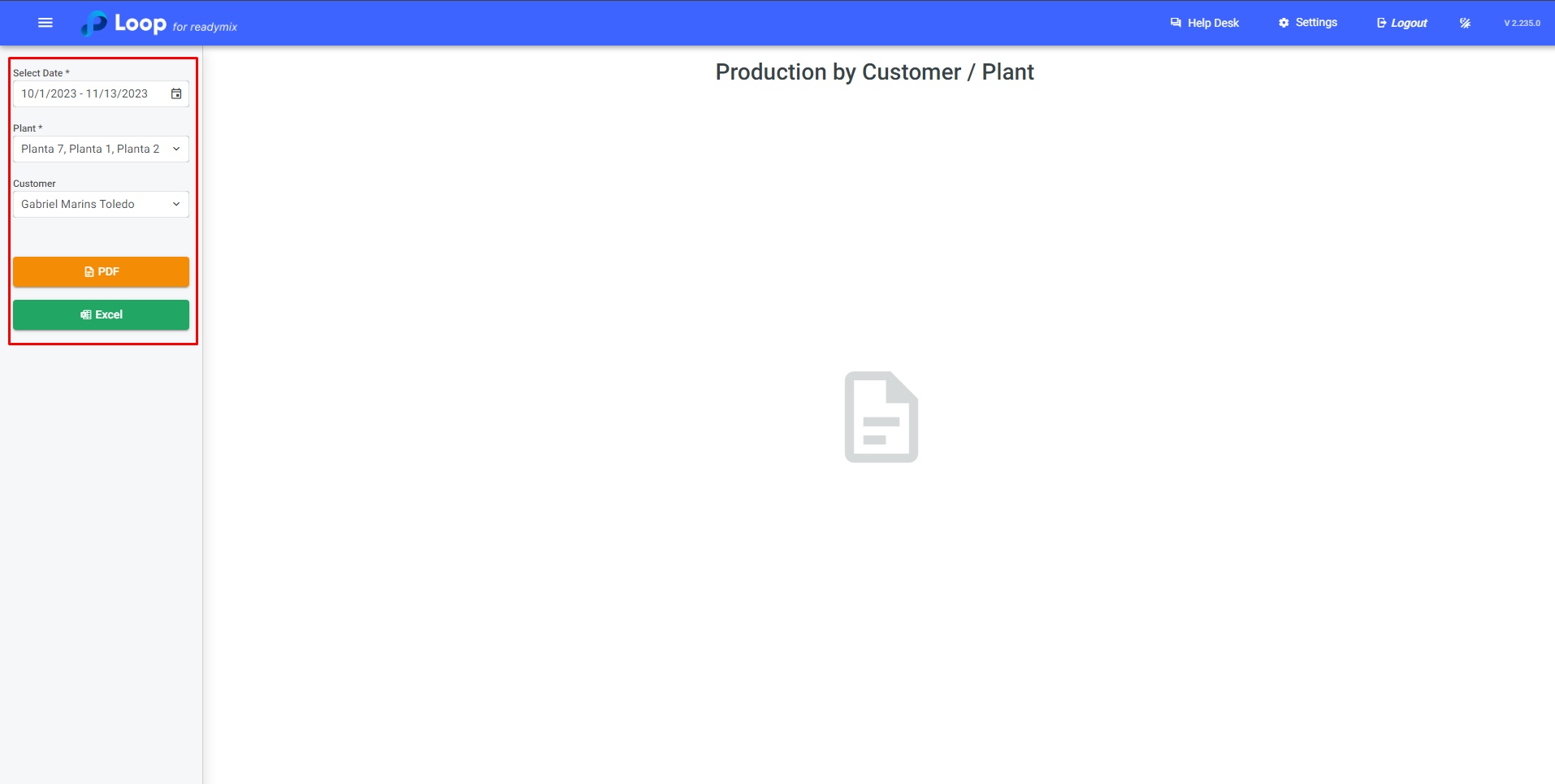
After filling in the necessary data, select the type of file to be generated: PDF or Excel.
Thank you for using our tutorial, and we hope it has been helpful for you. We are always committed to providing the necessary information and assisting you in using our Loop 4 ReadyMix system.