To allow the LOOP team to access your Facebook business account and configure integration with the WhatsApp Business API, please follow the instructions below.
Step 1: Access the Facebook Business Manager
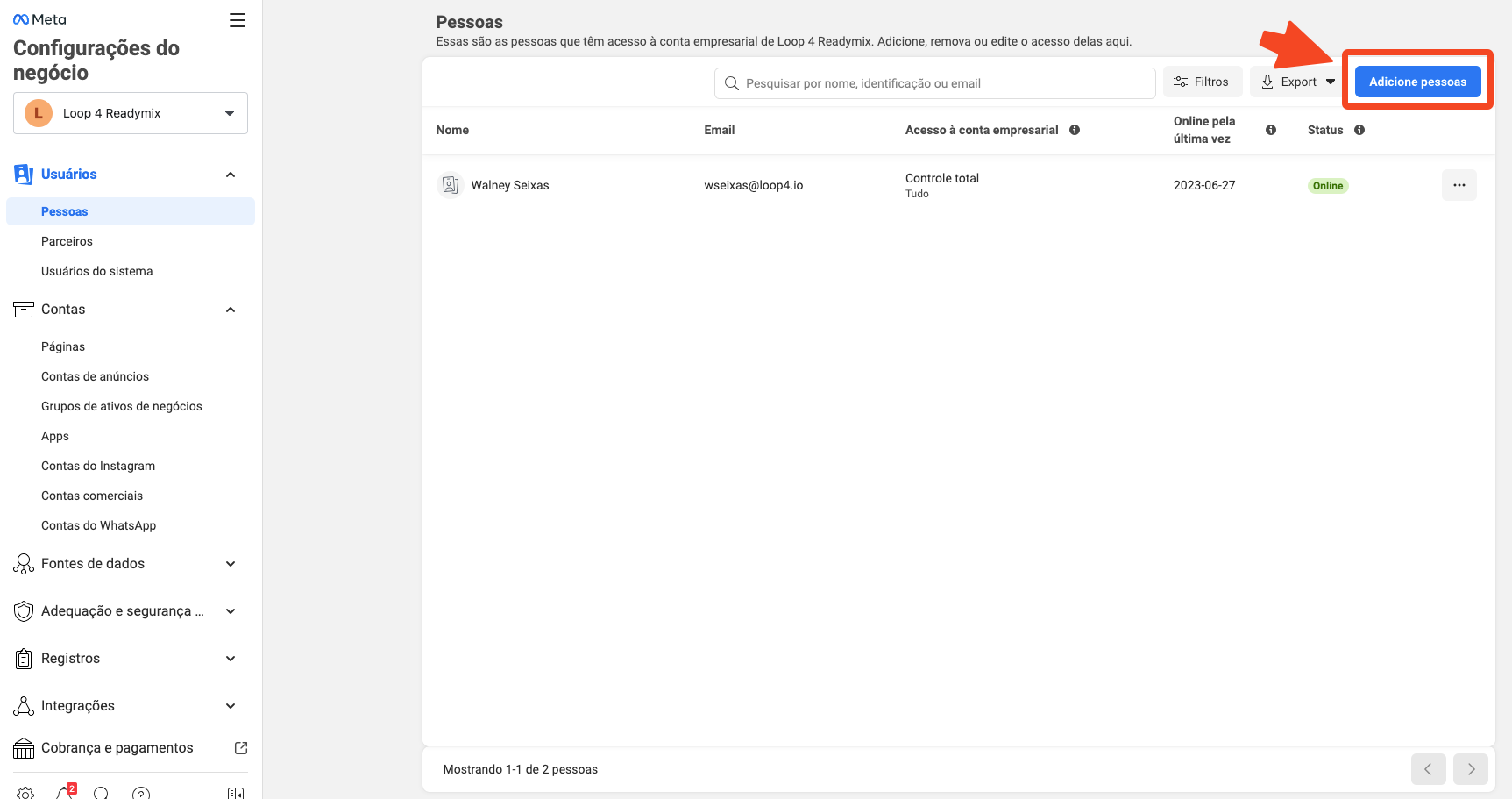
https://business.facebook.com/settings/people/
Step 2: Add a new person
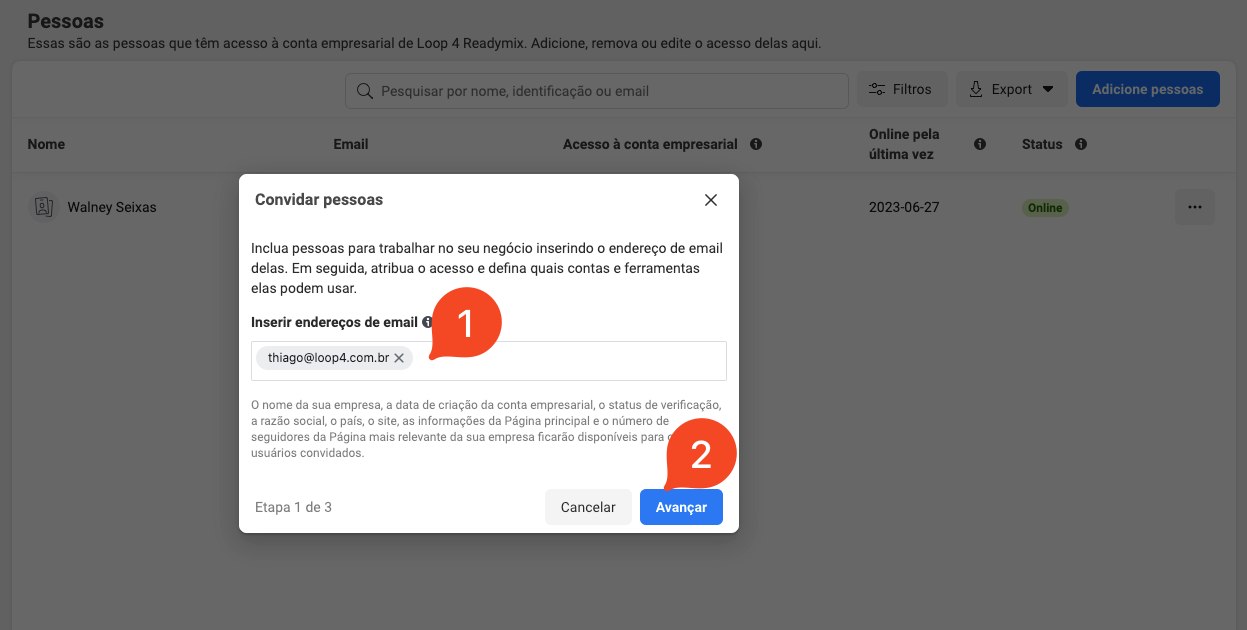
Step 3: Enter the email address of the person you want to grant access to
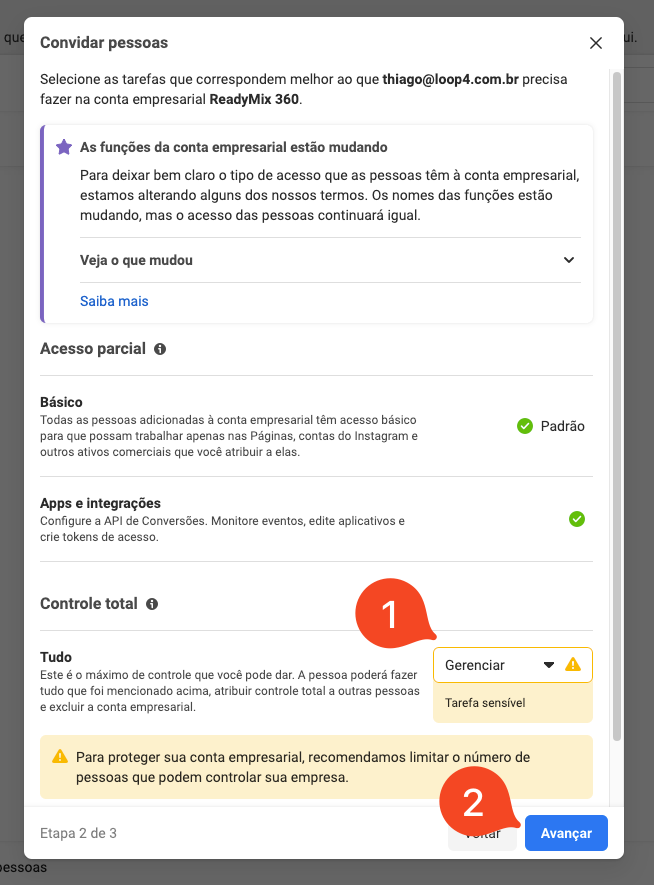
4 - On the next screen, follow these steps:
4.1 - Under "Full Control" - "Everything", select "Manage".
4.2 - Click "Next".
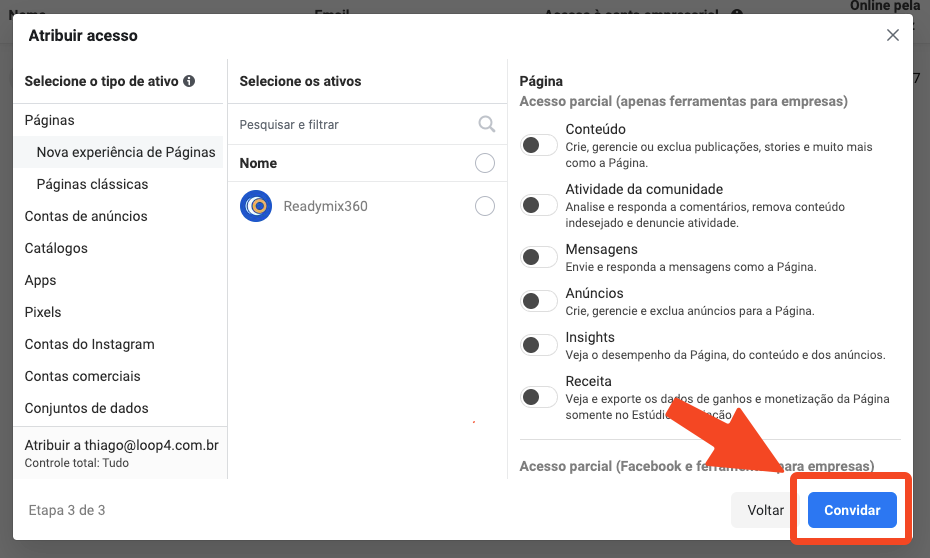
Step 6: Click on "Invite"
After following these steps, the LOOP team will have access to your Facebook business account and will be able to configure the integration with the WhatsApp Business API.
Thank you for using our tutorial and we hope it was useful to you. We are always committed to providing the necessary information and assisting you in using our Loop 4 Readymix system.