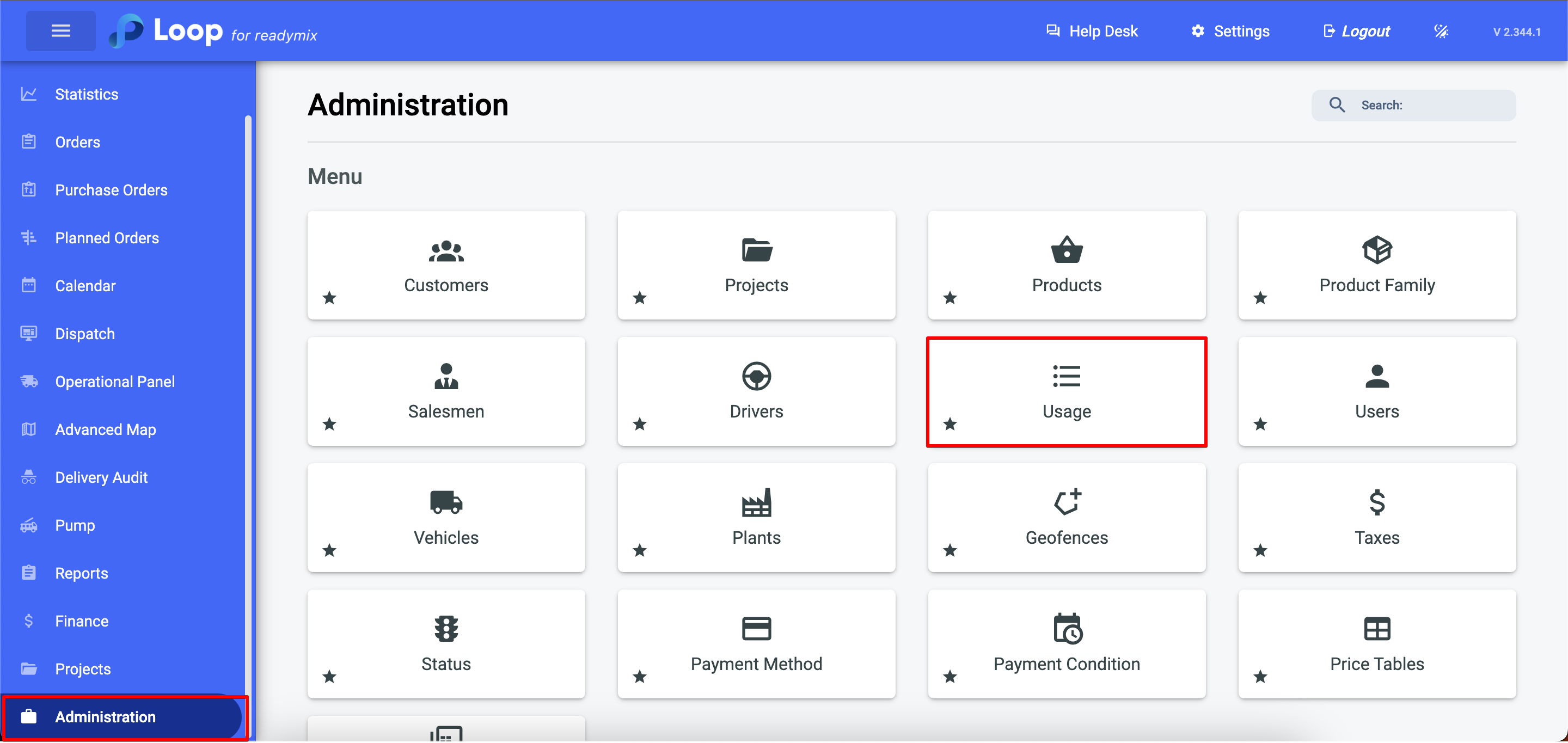
Open the menu on the left side of the screen and select "Administration" > "Usage"
Add Usage
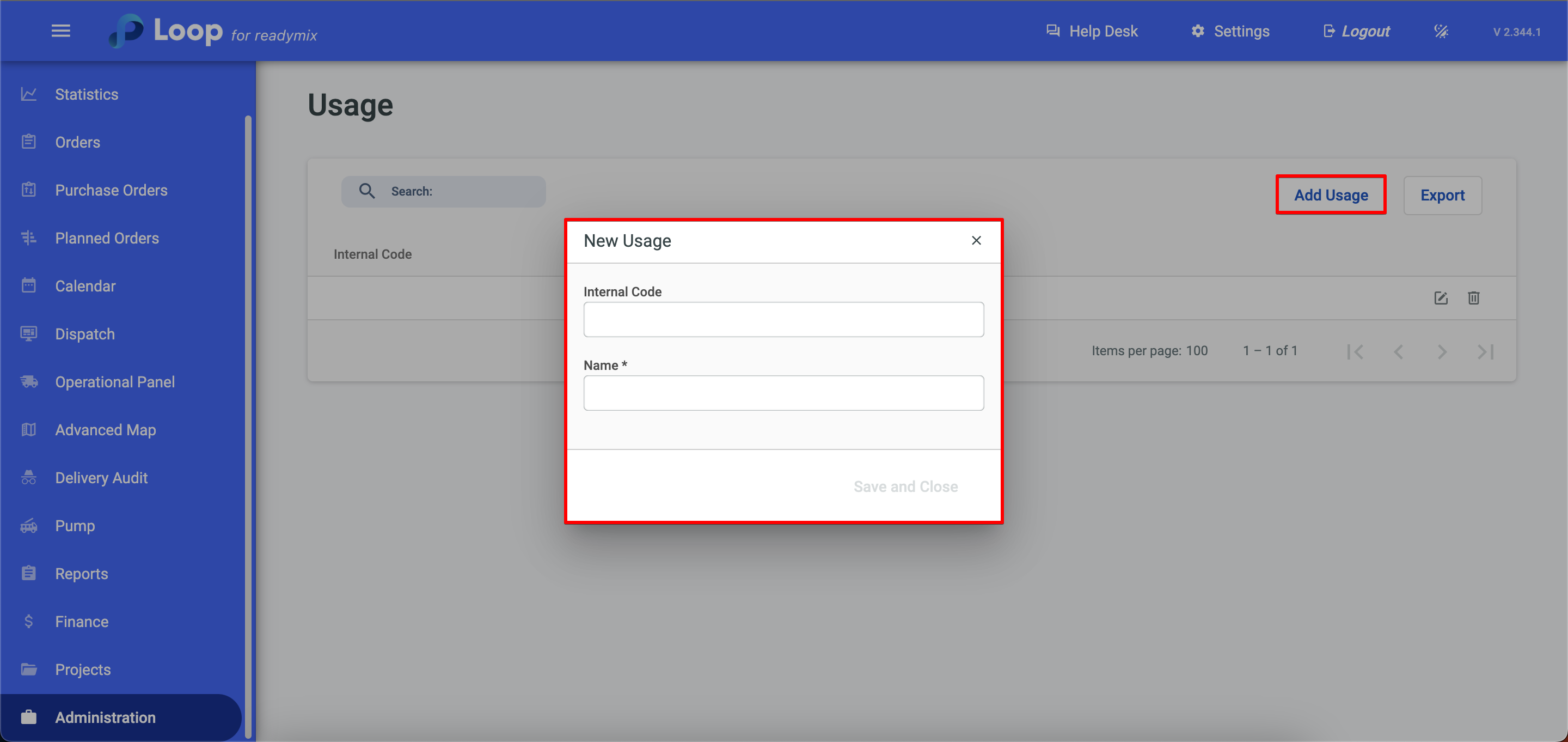
Click on "Add Usage" and fill in the "Internal Code" and "Name" fields, and finally click Save and Close.
Thank you for using our tutorial and we hope you found it useful. We always strive to provide you with the necessary information and help you use our Loop 4 ReadyMix.